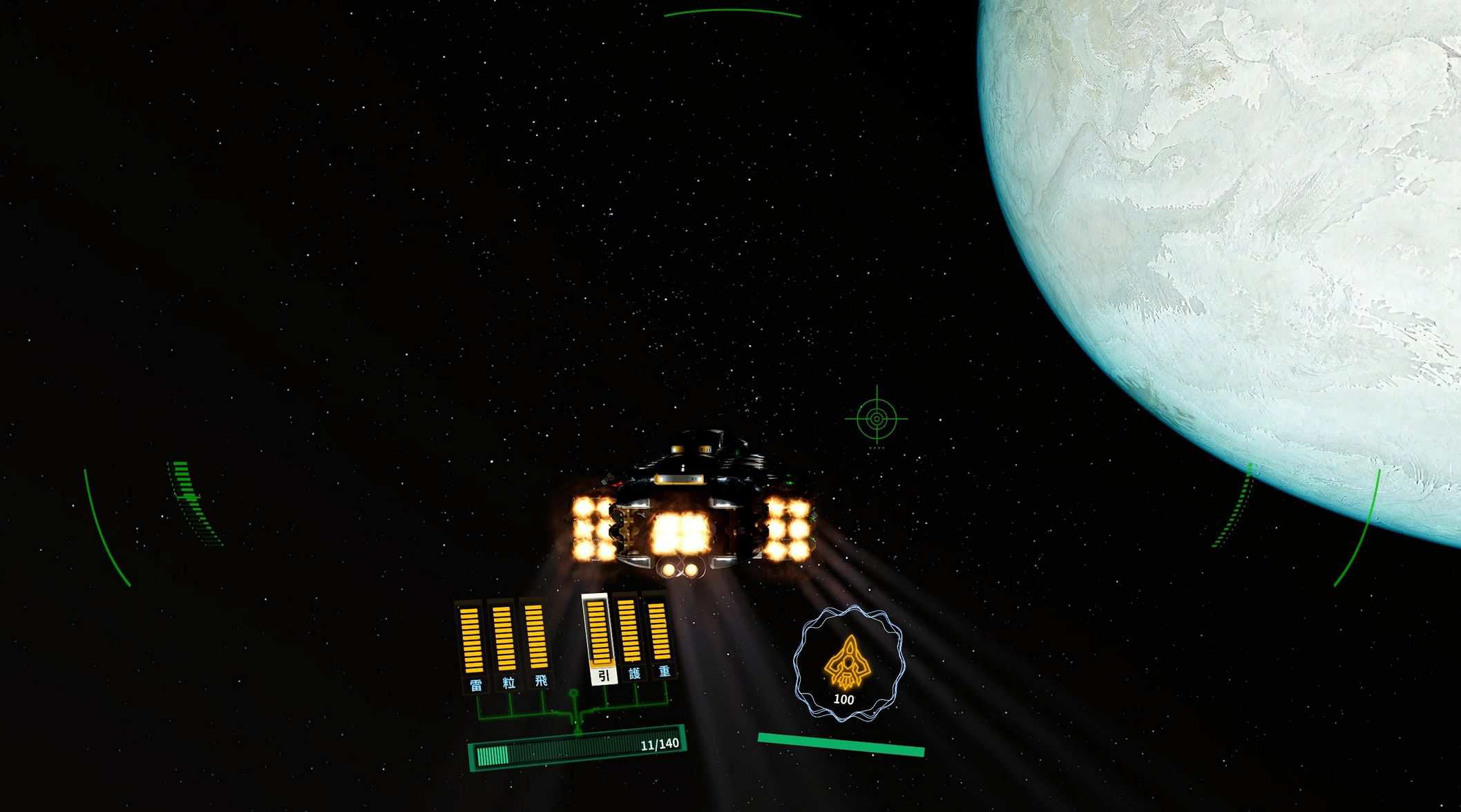
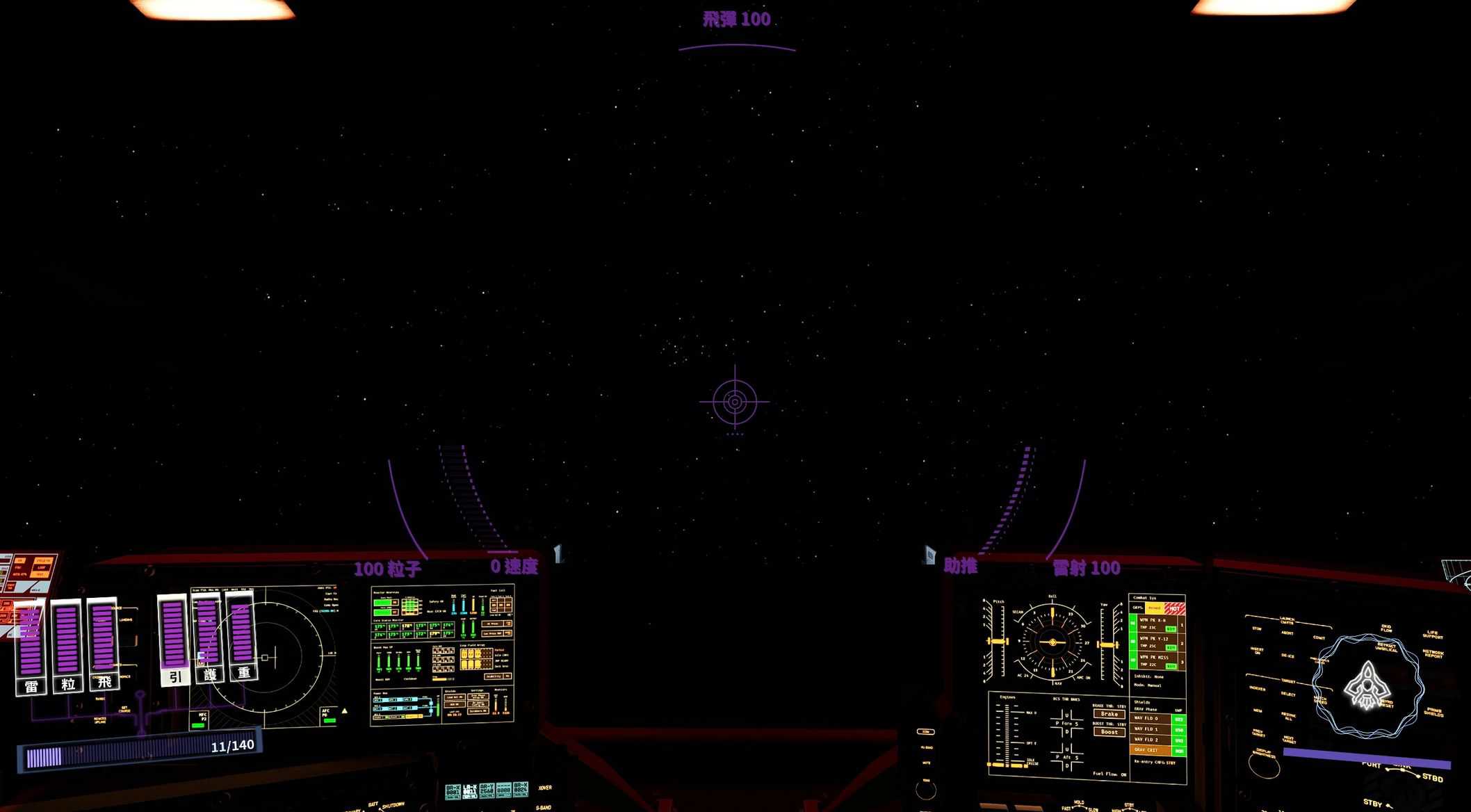
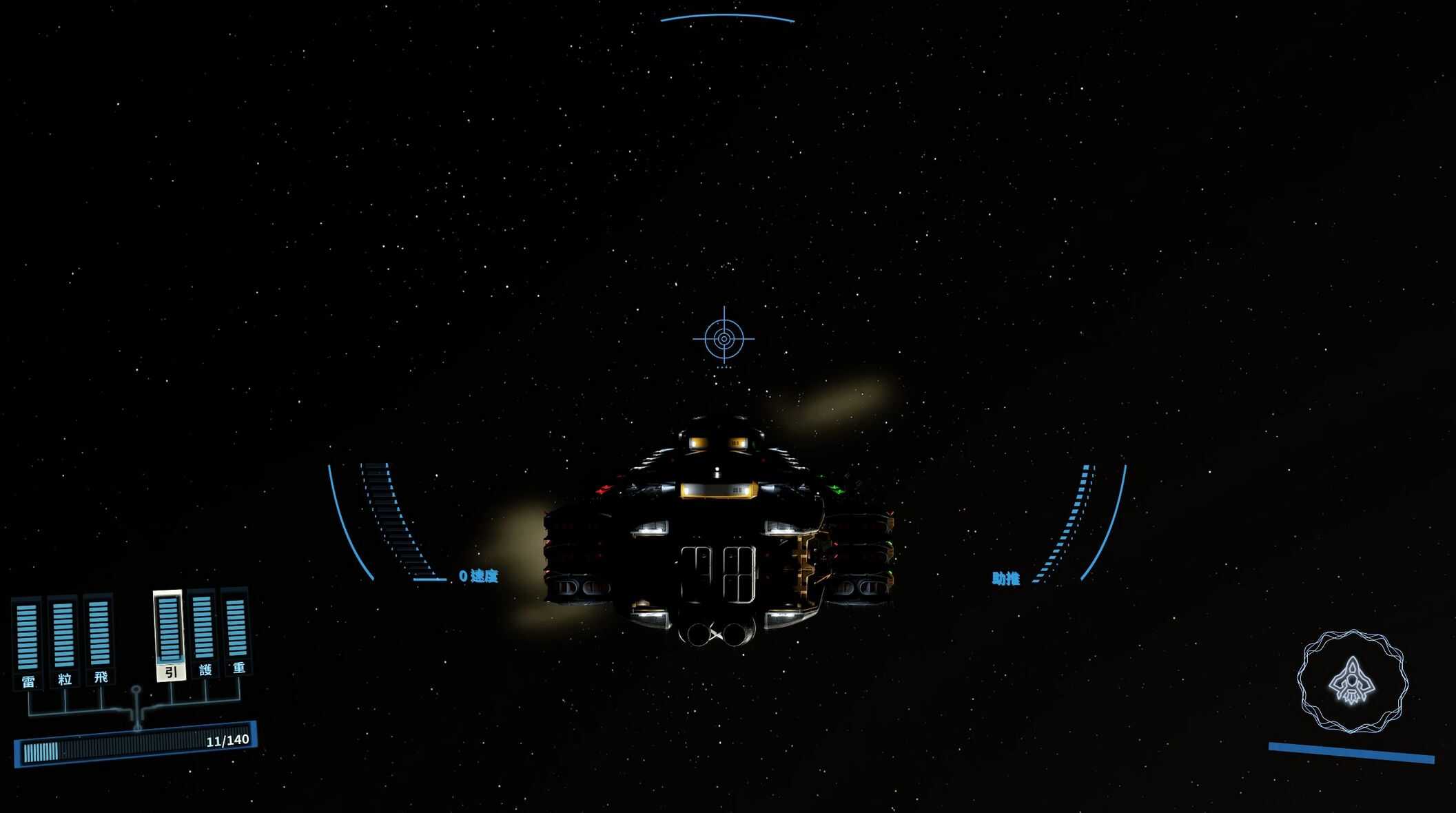

AstraHUD – All in one v1.1
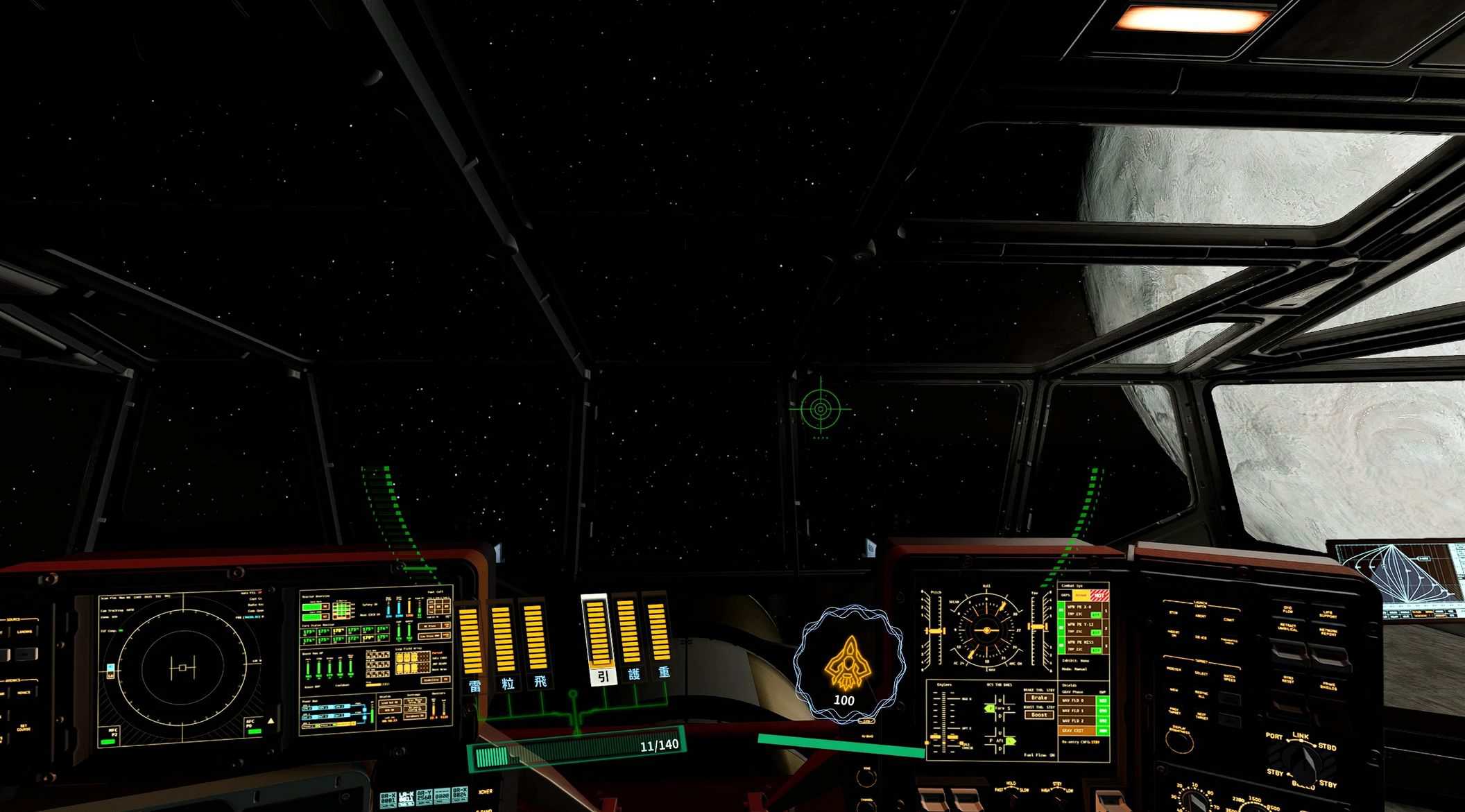
AstraHUD is a fully modular and customizable ship HUD that allows you to craft a completely personalized layout or apply ready-made INI presets.
AstraHUD is a fully customizable ship HUD framework.
From weapon indicators, throttle and speed displays, reticles, power components, system panels, shield meters, to the targeting interface, every component can be customized in color, position, and scale, or replaced with alternative shapes, allowing you to transform your ship HUD into a more advanced, high-tech design or any style you prefer.
All components are released as standalone parts, each offering multiple replacement variants. None of the components require any others to function, so you can use any component on its own. However, I strongly recommend using them together to maintain a consistent overall HUD style.
If you don’t want to adjust all the settings manually, you can use the presets I’ve created. Or you can create and share your own presets.
Main reticle
This part controls the main center HUD and reticle, including all weapon indicators, throttle bars, and speed information.
The files include multiple reticle designs.
Just choose the reticle style you prefer that version.
Power panel
This part controls the Power Allocation component, including everything in the lower-left section of the HUD.
Include multiple power icon designs and several color variants for the power frame.
Simply choose the version with the power icon and frame style you prefer.
Shield panel
This part controls the shield throttle component, including everything in the lower-right section of the HUD.
The files include multiple hull bar designs and several color variants.
Simply choose the version with the hull bar or frame style you prefer.
This is the newly redesigned shield system
Target panel
The files include multiple Target frame designs and several color .
Simply choose the version with the frame style you prefer.
Features
– Ship HUD Overhaul , every HUD element redesigned and rearranged.
– Fully modular architecture ,You can install only the parts you want, or swap different shapes to match your HUD style.
– Multiple shape and color variations.
– Performance-friendly, No performance impact.
– HUD Hot Reload :
After editing and saving your INI, you don’t need to restart the game.
You only need to get up from the pilot seat and sit back down , the HUD will update immediately.
– A fully customizable HUD you can control via INI:
Position
Scale
Show / hide toggles
Color (RGB)
Global transparency
– Bug fixes:
Fixed an issue where the HUD could sometimes freeze after using X to teleport to the pilot seat (I’m not sure how many people encountered this, but it should be resolved).
Fixed UI flickering when firing weapons in the vanilla HUD.
Installation
1. Download and install with a mod manager.
2. Or copy the contents of the mod into your Starfield installation folder:
Starfield\Data\Interface
3. Launch the game and enjoy.
4. You can safely install or uninstall it at any time.
Make sure you have:
[Archive]
bInvalidateOlderFiles = 1
sResourceDataDirsFinal =
In your StarfieldCustom.ini
Confuguration
Main Reticle
; ===== Center =====
;Controls the entire HUD and overrides all other settings
Center_Show=true
Center_X=0
Center_Y=0
Center_Scale=1
; ===== Weapons labels =====
;Controls weapon labels and ammo
WeaponRight_Show=true
WeaponRight_X=0
WeaponRight_Y=0
WeaponRight_Scale=1
WeaponLeft_Show=true
WeaponLeft_X=0
WeaponLeft_Y=0
WeaponLeft_Scale=1
WeaponTop_Show=true
WeaponTop_X=0
WeaponTop_Y=0
WeaponTop_Scale=1
; ===== Weapons Bars =====
;Controls the weapon ammo bars
AmmoRight_Show=true
AmmoRight_X=0
AmmoRight_Y=0
AmmoRight_Scale=1
AmmoLeft_Show=true
AmmoLeft_X=0
AmmoLeft_Y=0
AmmoLeft_Scale=1
AmmoTop_Show=true
AmmoTop_X=0
AmmoTop_Y=0
AmmoTop_Scale=1
; ===== Speed and Boost Label =====
;Controls Speed and Boost text/number
Speed_Show=true
Speed_X=0
Speed_Y=0
Speed_Scale=1
BoostButton_Show=true
BoostButton_X=0
BoostButton_Y=0
BoostButton_Scale=1
; ===== Speed and Boost Bars =====
;Controls the Speed and Boost bars
Throttle_Show=true
Throttle_X=0
Throttle_Y=0
Throttle_Scale=1
Boost_Show=true
Boost_X=0
Boost_Y=0
Boost_Scale=1
; ===== Reticle =====
;Controls the reticle
Reticle_Show=true
Reticle_X=0
Reticle_Y=0
Reticle_Scale=1
; ===== Global Color =====
; Controls global HUD tint
; Higher values produce a brighter color
GlobalColor_R=255
GlobalColor_G=255
GlobalColor_B=255
GlobalColor_A=255
; R = Red
; G = Green
; B = Blue
; A = Alpha(opacity)
After saving, you do not need to restart the game.
Just press TAB to open a menu and switch back , the HUD will update instantly.
Power Panel
[Main]
Controls the entire HUD
Using Scale may cause distortion because the element is not flat
x=0
y=0
Scale=1
[PowerBarColor]
Controls the Power Bar Color
R=255
G=255
B=255
A=255
[ComponentFrame]
Controls the Power Bar Frame Color
Show=true
Color_R=255
Color_G=255
Color_B=255
Color_A=255
[ButtonBackground]
Controls the Power Button and line Color
Show=true
Color_R=255
Color_G=255
Color_B=255
Color_A=255
[ConsoleButton]
Controls the power line Color
This will overlap with ButtonBackground.Use the same color as ButtonBackground.
Show=true
Color_R=255
Color_G=255
Color_B=255
Color_A=255
[ComponentText]
Controls the Text Color
R=255
G=255
B=255
R = Red
G = Green
B = Blue
A = Alpha(opacity)
After saving, you do not need to restart the game.
You only need to get up from the pilot seat and sit back down , the HUD will update immediately.
Shield Panel
[UI]
Controls the entire HUD
OffsetX=0
OffsetY=0
Scale=1
[Visibility]
;Shows or hides the shield number and repair button
ShowShieldNumber=false
ShowRepairButton=false
[Text]
;Controls the position of the shield health number
ShieldTextOffsetY=-25
[Color]
;Adjusts the color of the ship icon
GlobalColor_R=255
GlobalColor_G=255
GlobalColor_B=255
GlobalColor_A=255
R = Red
G = Green
B = Blue
A = Alpha(opacity)
After saving, you do not need to restart the game.
You only need to get up from the pilot seat and sit back down , the HUD will update immediately.
Compatability
Should be compatible with all mods
Notes
– There are currently no known issues, but the code inside shipreticle.swf is extremely large and complex. If you encounter any issues, please let me know in the Posts.
– You can swap any version in game , after overwriting the files, just stand up from the pilot seat and sit back down to refresh the HUD.
– AstraHUD should not affect any UI unrelated to the ship HUD, so if you encounter issues anywhere outside the pilot seat, they are not caused by this mod
– AstraHUD is not affected by game updates.
– It can be safely removed at any time without breaking your save , even if you uninstall it while sitting in the pilot seat.