OSF UI – Web Interface Framework and Mod Settings Menu (MCM) v1.4.0
OSF UI is an SFSE framework that renders modern web interfaces in game, and ships a unified Mod Settings Menu (MCM) and a Mod Keybind Manager. Press F10, configure every supporting mod in one place. No INI edits, no console commands.
Required:
– Address Library for SFSE Plugins
Overiview:
OSF UI is an SFSE plugin that lets mods build their interfaces in HTML, CSS and JavaScript and draws them over the game – rendered by WebView2 , composited on Starfield’s own Direct3D 12 device. Heavily inspired by Skyrim’s Prisma UI framework.
Out of the box:
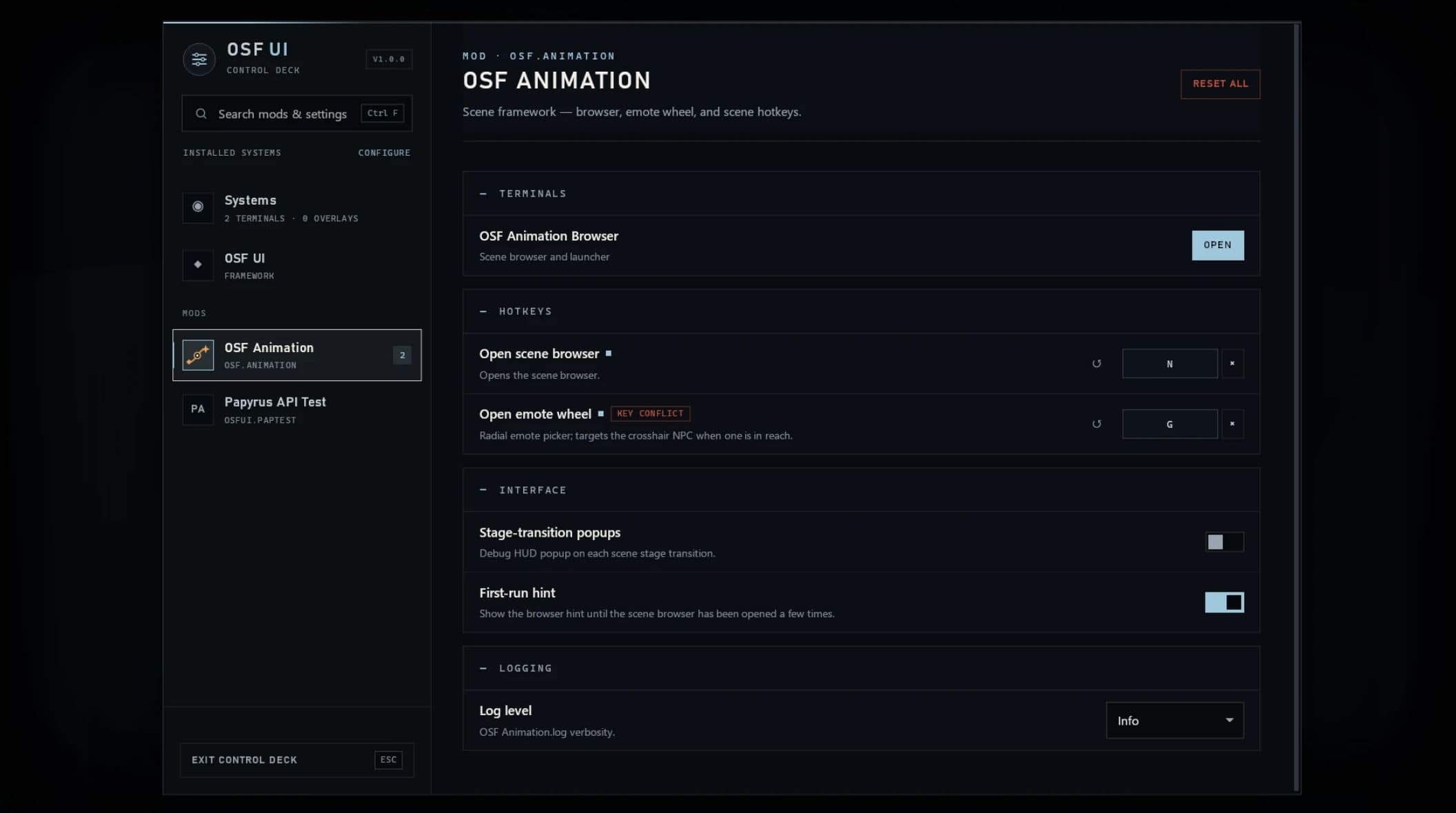
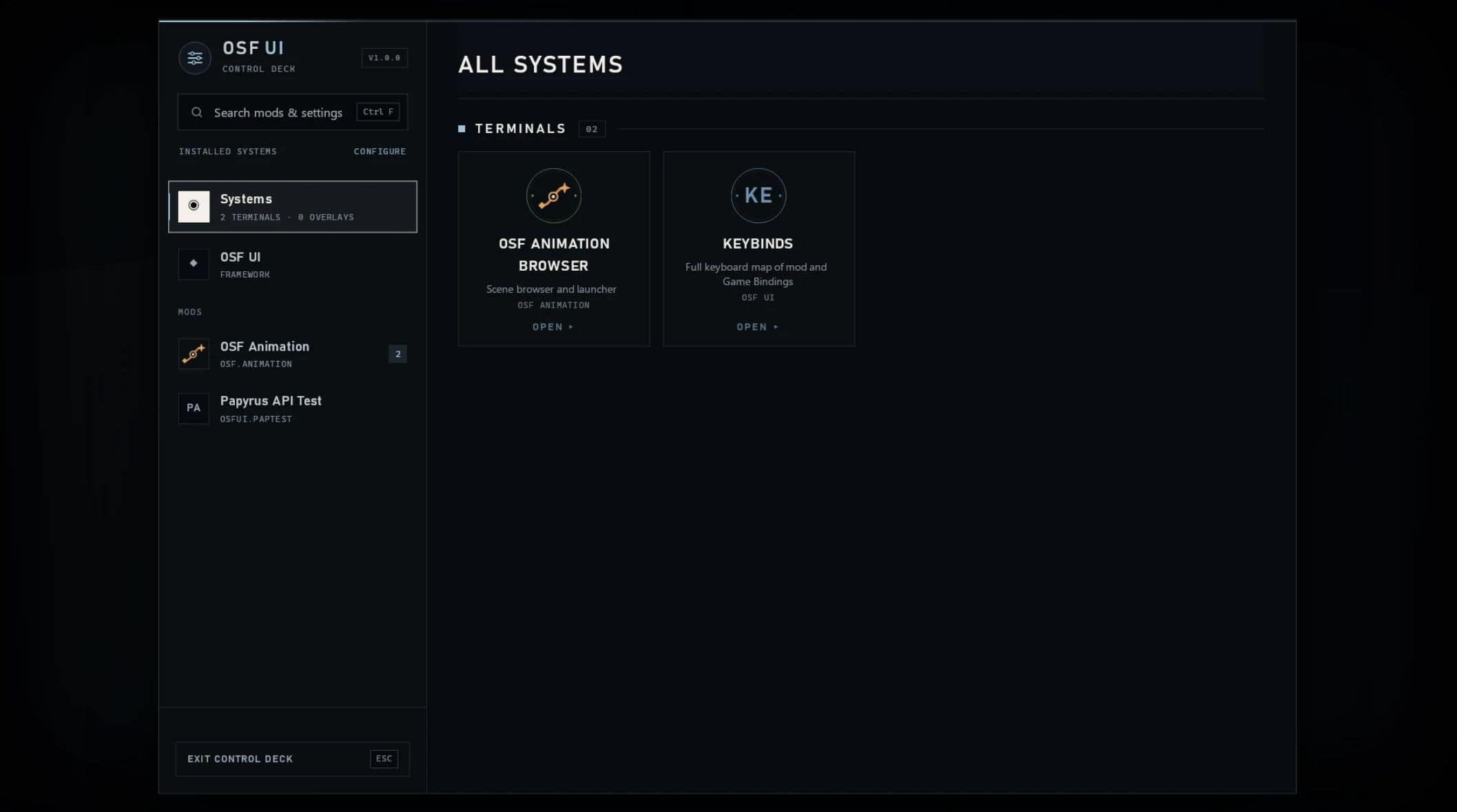
– The Mods surface – press F10 (or the MOD MENUS entry in the pause menu): Opens an interface to manage every supporting mod in one place. No INI edits, no console commands, no alt-tabbing.
– Settings (MCM) – every supporting mod gets its own page of live controls: toggles, sliders, dropdowns, text and key fields, with live search, per-setting reset, and presets. Changes validate, clamp, and save instantly.
– Keybinds – a visual keyboard map of every registered mod’s hotkeys. Click a key, press the new one, done – with conflict badges when two mods (or the game itself) want the same key.
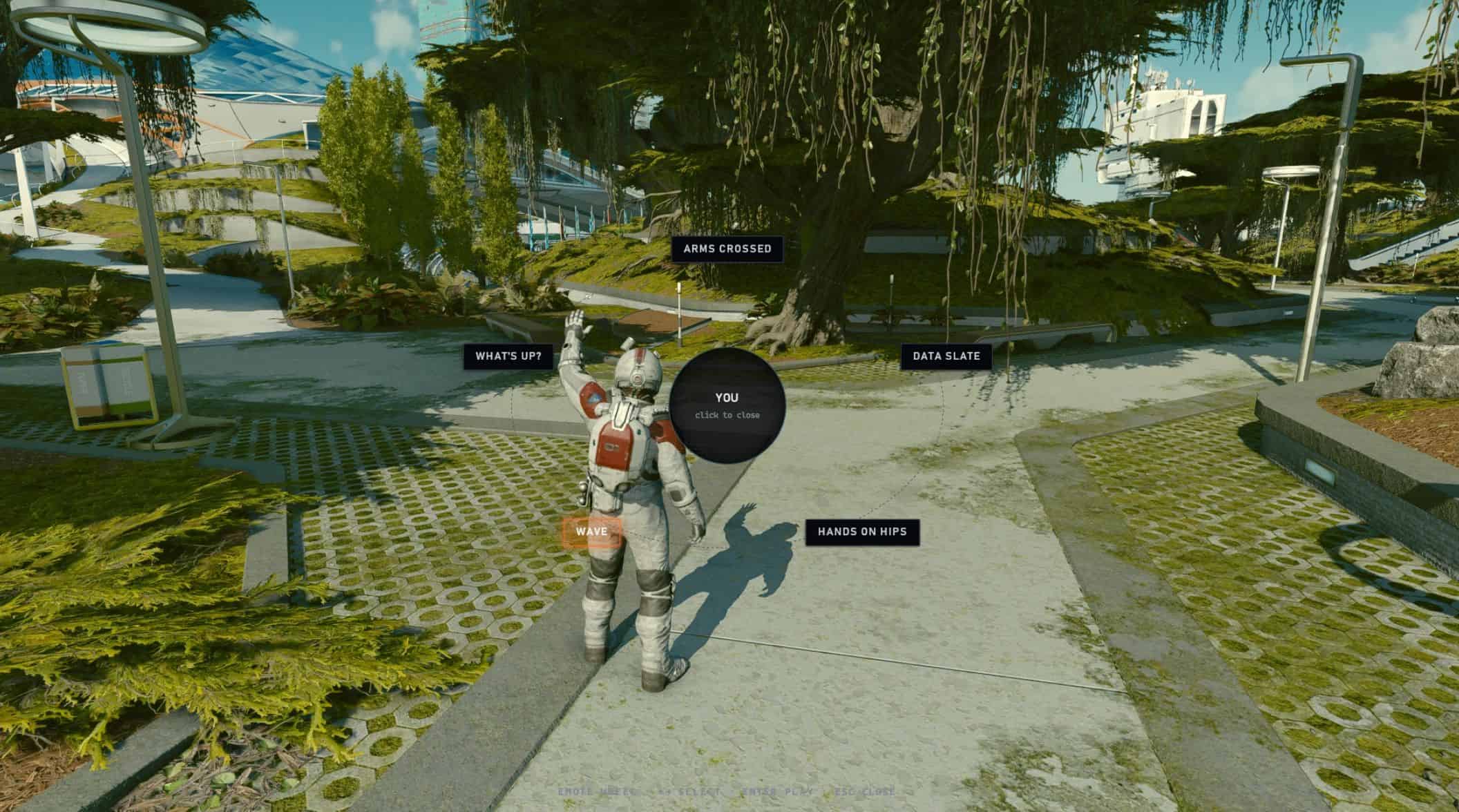
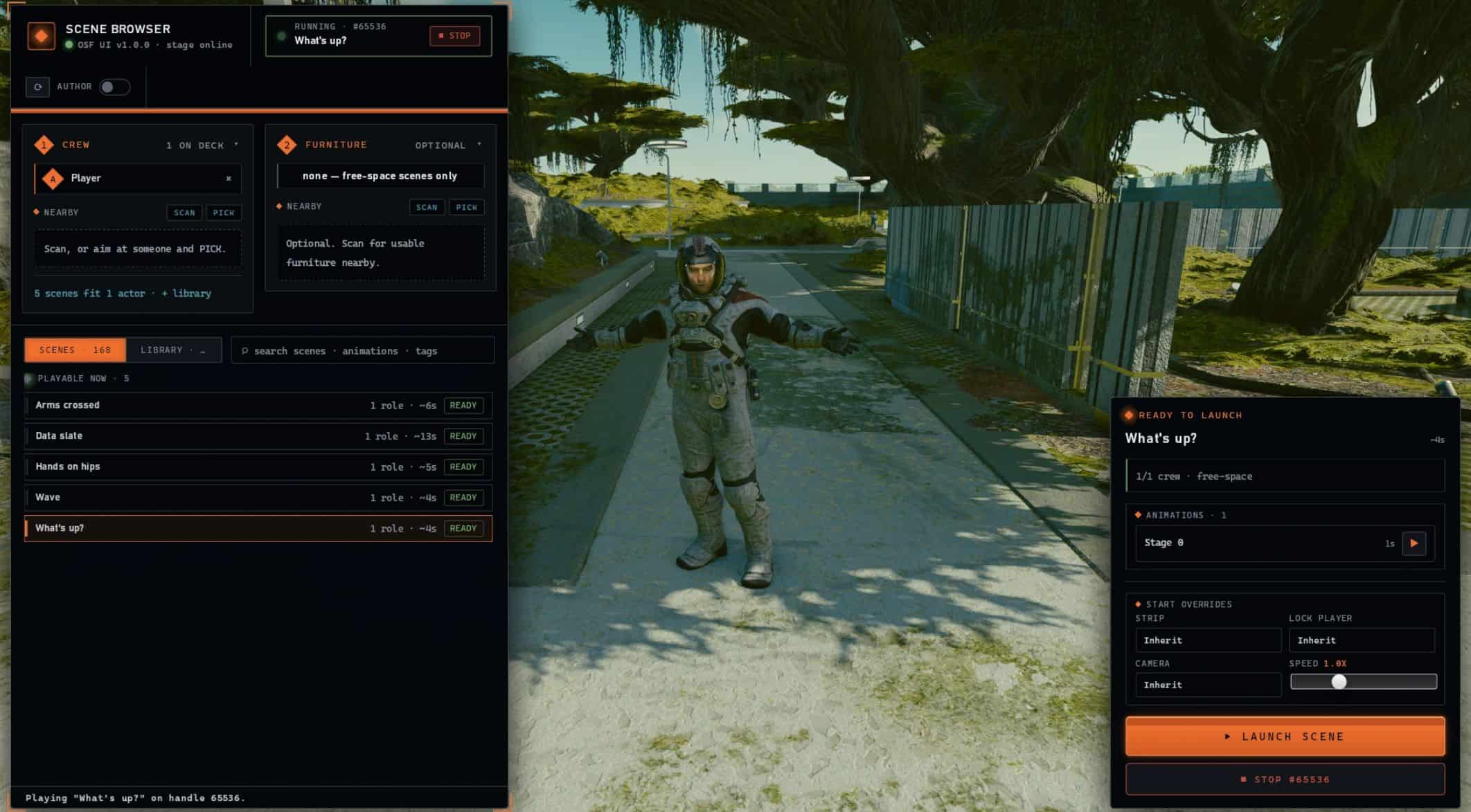
The Mods surface is simply the first thing built on the framework – any mod can ship its own views, settings, and hotkeys through it. See it powering a full mod today: OSF Animation’s scene browser, emote wheel, settings, and hotkeys all run on OSF UI.
Features:
– Rich Web Page UI In-Game – HTML/CSS/JS views rendered by WebView2, composited on the game’s own D3D12 device.
– Fully interactive – While a view is open mods get full input control. And can optionally register hotkeys to callback into themselves
– Gamepad navigable – D-pad/stick moves focus, A activates, B closes, right stick scrolls. (Mod support dependent)
– Schema-driven settings – a mod drops one small JSON schema and gets a full settings page with persistence, migration, and hotkey delivery – no UI code at all
– Live hotkey service – every key setting is a real, rebindable hotkey delivered to its mod, gated so keys never fire into the console or a text field
– Localization built in – mod settings pages, custom views, and OSF UI’s own interface all translate through simple drop-in JSON catalogs. The language follows the game’s (or pick one in OSF UI’s settings) and switches live, and partial translations fall back to English string by string.
– Multi-view compositing – several views can layer over each other, with configurable z-order priority and cycling.
Safe by construction – page JS is untrusted: each view’s filesystem is sandboxed to its own folder and network access is disabled