Salvage Marker (Better Looting) v0.9.4.1
Use salvage markers to tag loot containers in the field for later retrieval, so you can keep your carry weight realistic without leaving the good stuff behind.
Description
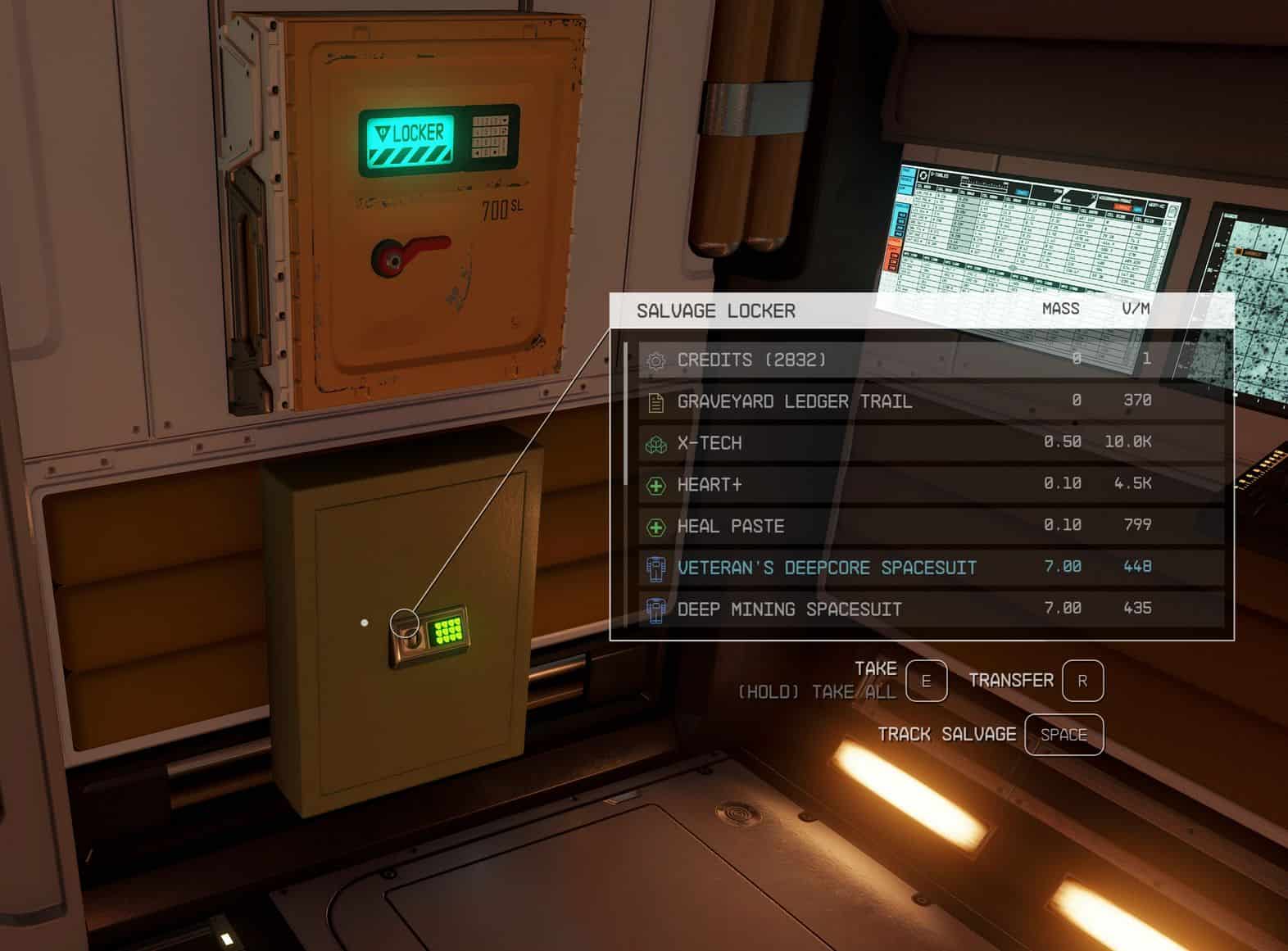
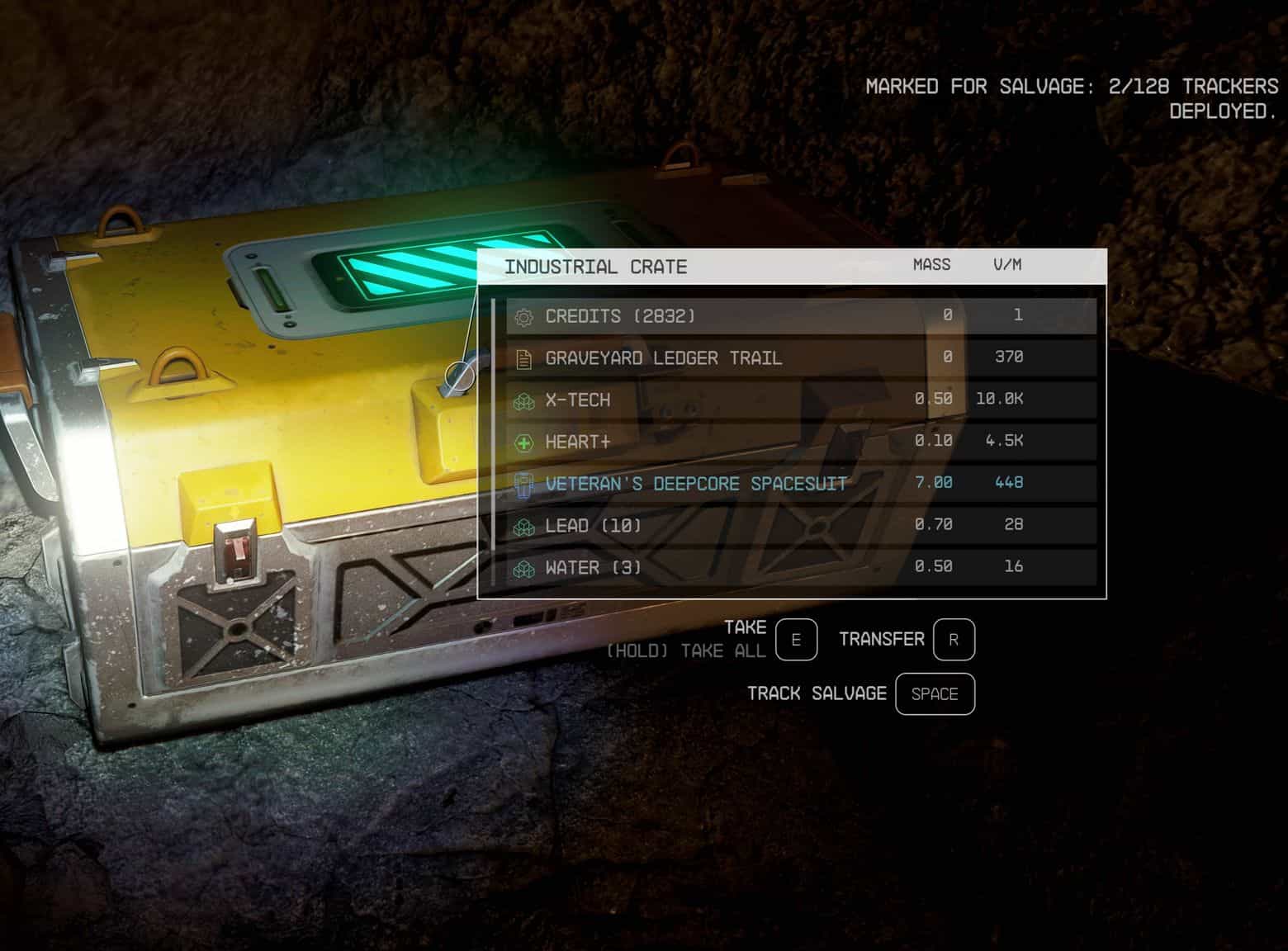
Drop a reusable RFID-style marker into a corpse or unlocked container in the field. Return to your ship. Open the Salvage Locker. Everything you tagged is in it. Markers return themselves.
No scanner. No radius. No automation. No follower logic. No sorting. Tag it, get it.
This mod exists because I was unhappy with the vanilla looting system and felt like I was spending more time on combat cleanup than playing the game. As captain of a crew, two of us go in and clean out a space bandit hoard – and then to keep the ship flying it’s apparently all on me to hand-carry enough loot to resell? There are a number of solutions out there to this problem, but I don’t want to turn my carry weight way up, or carry around a bag of holding, and auto-loot systems get complicated. This feels better and more immersive to me – just drop a salvage marker and then “send” your salvage crew to go track down and return the loot after the POI is cleared.
Important Update Note
Existing saves should be compatible, but before upgrading, please retrieve any currently marked salvage from your Salvage Locker if possible. This gives the update a clean tracking state and helps avoid stranded markers or loot from older script behavior.
If you are already stuck on a save where old tracked salvage is not retrieving, sneak-activate/open the Salvage Locker twice in quick succession. The first sneak-activate asks for confirmation; the second clears the tracked-source state.
Main Features
The core loop
– Craft Salvage Markers cheaply at any Industrial Workbench
– In the field, drop a Marker into any unlocked valid container or corpse – or use the quick-tag activation prompt that appears on screen when you aim at a valid corpse or container
– The source is now tagged. Its contents stay put. Move on.
– When you return to your ship, open the Salvage Locker
– Tagged sources are retrieved immediately by your salvage team into the Salvage Locker
– Markers return themselves, and a brief notification confirms what was retrieved
What it tags
– Unlocked containers that are not theft targets
– Dead actors that are not living companions and are not theft targets
– Locked containers, companions, living actors, the Salvage Locker, ship cargo holds, and theft targets are rejected
– Rejected targets show a reason and should not consume a Marker
What gets retrieved
– Everything in the source’s inventory, including equipped gear from corpses
– Loose world items are not swept up automatically; put dropped weapons or other loose items into a tagged corpse/container if you want them retrieved
– Pairs naturally with spacesuit-looting mods but works without them
– Credits are swept along with everything else and reported in the retrieval summary – they land in the Locker, not your wallet
Practical notes
– Up to 128 active Markers in the world at once
– Multiple Lockers supported as separate retrieval points – open whichever Locker you want, salvage pulls into that one
– Markers are reusable. Drop, retrieve, redeploy.
– Adds new records only – no edits to vanilla items, recipes, NPCs, or worldspaces
Installation
Install via your mod manager of choice. For manual installation, extract the archive into your Starfield Data folder – this includes the .esm and the Scripts folder – then enable it in your plugins list. The file is a light master.
Crafting:
– Salvage Marker is crafted at any Industrial Workbench
– Salvage Locker is placed via the ship/home decorator under Miscellaneous
That’s it. No additional setup, no SFSE, no patches.
Requirements
Starfield base game. No DLC required. No script extender required. No framework mods required.
Compatibility
Salvage Marker adds new records only. It does not modify any vanilla content – no edits to leveled lists, recipes, NPCs, containers, ship modules, or worldspaces. It hooks events only on its own forms. Should be compatible with any other mods regardless of load order.
Pairs well with spacesuit-looting mods. Plays cleanly alongside other ship-decoration and crafting mods. No known conflicts.
Known Quirks
– A few player-facing things worth knowing:
– Process salvage promptly.
– Starfield resets POIs on a timer. Tagged sources in cells that have since reset may no longer retrieve – they don’t break anything, but the contents are gone with the cell. Process salvage before leaving tagged POIs sitting around for a long time.
Ship rebuilds remove the Locker.
If you edit your ship in the builder, the Locker (a placed decoration) is removed and its contents transfer to your ship’s cargo hold along with any other deco-container contents. Place a new Locker to continue salvaging. Your tracked sources survive – they’re stored on a quest, not on the Locker itself.
Multiple Lockers don’t share inventory.
If you place two Lockers, opening either one pulls salvage into that specific Locker. They’re independent retrieval points, not a shared network.
Credits land in the Locker, not your wallet.
Retrieved credits go into the Locker with the rest of the salvage. Move them out manually.
Equipped gear from corpses is retrieved.
This is intentional. If you prefer vanilla’s equipped-item protection, this isn’t the mod for you.
Loose dropped weapons are not retrieved automatically.
Starfield often drops held weapons as loose world objects. Salvage Marker retrieves inventories, not nearby world clutter. If you want a dropped weapon collected, pick it up and put it into a tagged corpse or container.
Ship cargo is not a salvage target.
Ship cargo holds use special ship inventory behavior, not normal loot-container transfer behavior. They are rejected on purpose.
The Salvage Locker has no cargo limit.
This is intentional. Adding weight or capacity logic would have complicated the mod significantly for marginal benefit. The Locker is a transfer point – retrieve your salvage and move it out, not a permanent bag of holding. Use it like an inbox, not a warehouse.
Built on Linux by a first-time modder.
Just getting the Creation Kit to run was its own adventure, and I haven’t gotten xEdit working 100% reliably yet. The mod works, but if you’re a more experienced modder and spot something wrong under the hood, I’d genuinely appreciate the feedback.
FAQ
How is this different from auto-loot mods?
Auto-loot scans for items in a radius and pulls them automatically. This mod doesn’t scan anything – you decide what’s worth tagging by dropping a Marker in it, or using the quick-tag prompt that appears when you aim at a valid target. The trip back to your ship is the cost; if you want a teleport-loot button, this isn’t that.
How do I untag a source?
Open the container or corpse and take the Salvage Marker back out. Removing the last Marker from a source clears the tag.
Can I tag living NPCs to queue them for looting after I kill them?
No. The Marker is rejected if dropped on a living actor. Tag corpses after the fight, not before.
Can I tag ship cargo?
No. Ship cargo is rejected because it behaves like special ship inventory, not like a normal loot container.
Why didn’t it pick up a dropped weapon?
Loose world items are not collected automatically. If an enemy drops a held weapon on the ground, pick it up and place it into a tagged corpse or container if you want it retrieved with the rest of the salvage.
Will this break quests?
Unknown, and I want to be upfront about that. The mod has no specific quest-item handling. Locked containers, companions, living actors, ship cargo, the Salvage Locker, and theft targets are rejected, which covers a lot of ground, but if you tag an otherwise valid container or corpse that turns out to be involved in a quest, behavior is untested. Avoid tagging anything you know is quest-relevant, and if something goes wrong please report it.
Can I use this with Outpost containers instead of a ship Locker?
Should work just fine. I’ve tested primarily on ship but appears to function in outpost as well. Let me know if issues.
Do I need to retrieve salvage at the same Locker I tagged it from?
No. Tagged sources are stored on a quest backend, not tied to any specific Locker. Open whichever Locker you want and the salvage pulls into that one.
Do credits go straight to my wallet?
No. Credits are retrieved into the Locker along with the rest of the salvage. Move them out manually.
What happens if I run out of Markers?
Craft more. They’re cheap and reusable – Markers return to your Locker after each retrieval, so over time you should converge on a stable working set. If you hit the 128-active-Marker cap, you’ll get a notification telling you to retrieve before placing more.
How do I reset stuck tracked salvage?
Sneak-activate/open the Salvage Locker twice in quick succession. The first sneak-activate asks for confirmation. The second clears the tracked-source state. This is mainly for recovery if an older save has stale tracked sources from previous script behavior.
Can I uninstall this mid-playthrough?
Probably yes, but as with any scripted mod the safe answer is “make a clean save first.” The mod doesn’t modify vanilla content, so I don’t think removing it should corrupt your save – but tagged sources that haven’t been retrieved will lose their tag references, and any Markers still placed in containers or corpses will either disappear or become ordinary items no longer function as trackers. Retrieve all pending salvage before uninstalling as I’m pretty sure that will disappear from the locker, but should remain in the respective tagged containers.
Is the source available?
Yes, included.
Future Plans
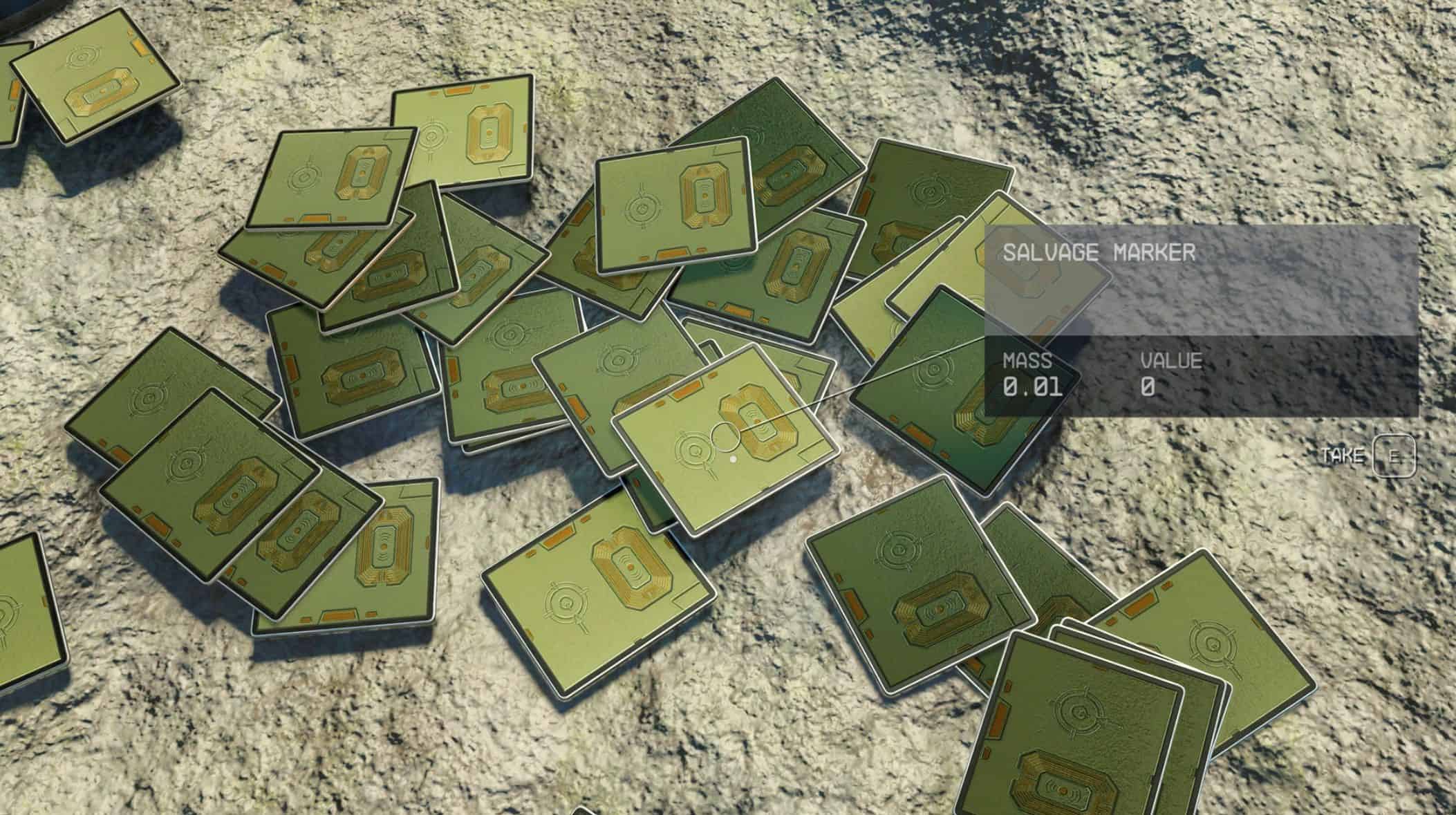
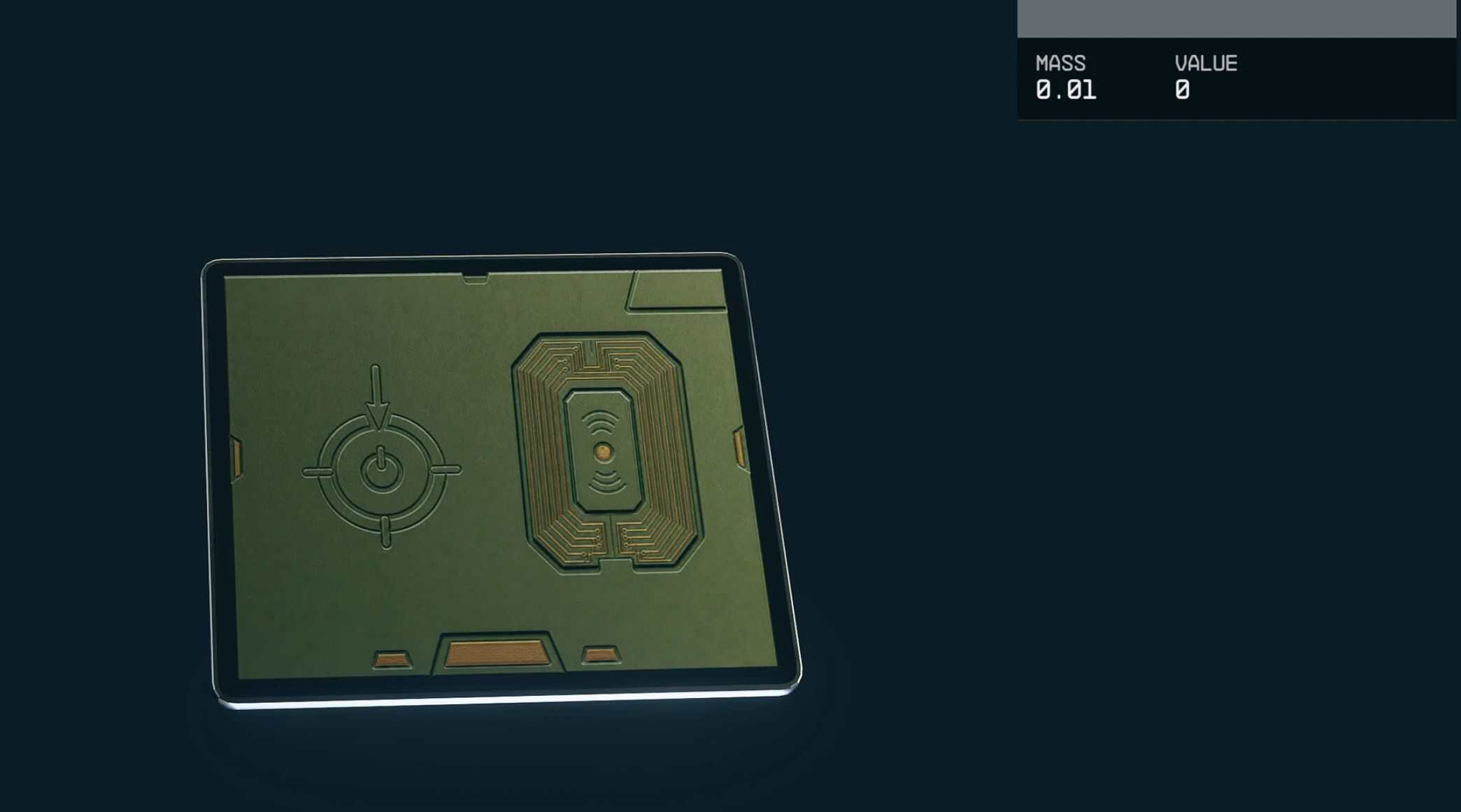
The main file still uses the vanilla Tech Clutter circuit board model for the Salvage Marker. It works, but it was never quite the look I had in mind. I spent more time trying, failing, and iterating on custom marker assets than I spent making the actual gameplay loop. For now, the mod is released because that loop is solid: markers work, lockers retrieve salvage, and the system does what it’s supposed to do.
Custom visuals are still planned. There is now an optional custom marker preview file for anyone who wants to try the newer marker art early, but the full visual pass will wait until the Salvage Locker gets the same treatment.